Broadcasting Setup
How to add the scoreboard overlay to OBS, Streamlabs, or vMix.
1
OBS Only Method
Best for single-monitor setups. Allows you to control the game inside OBS.
1. Add the Controller Dock
In OBS, go to Docks → Custom Browser Docks...
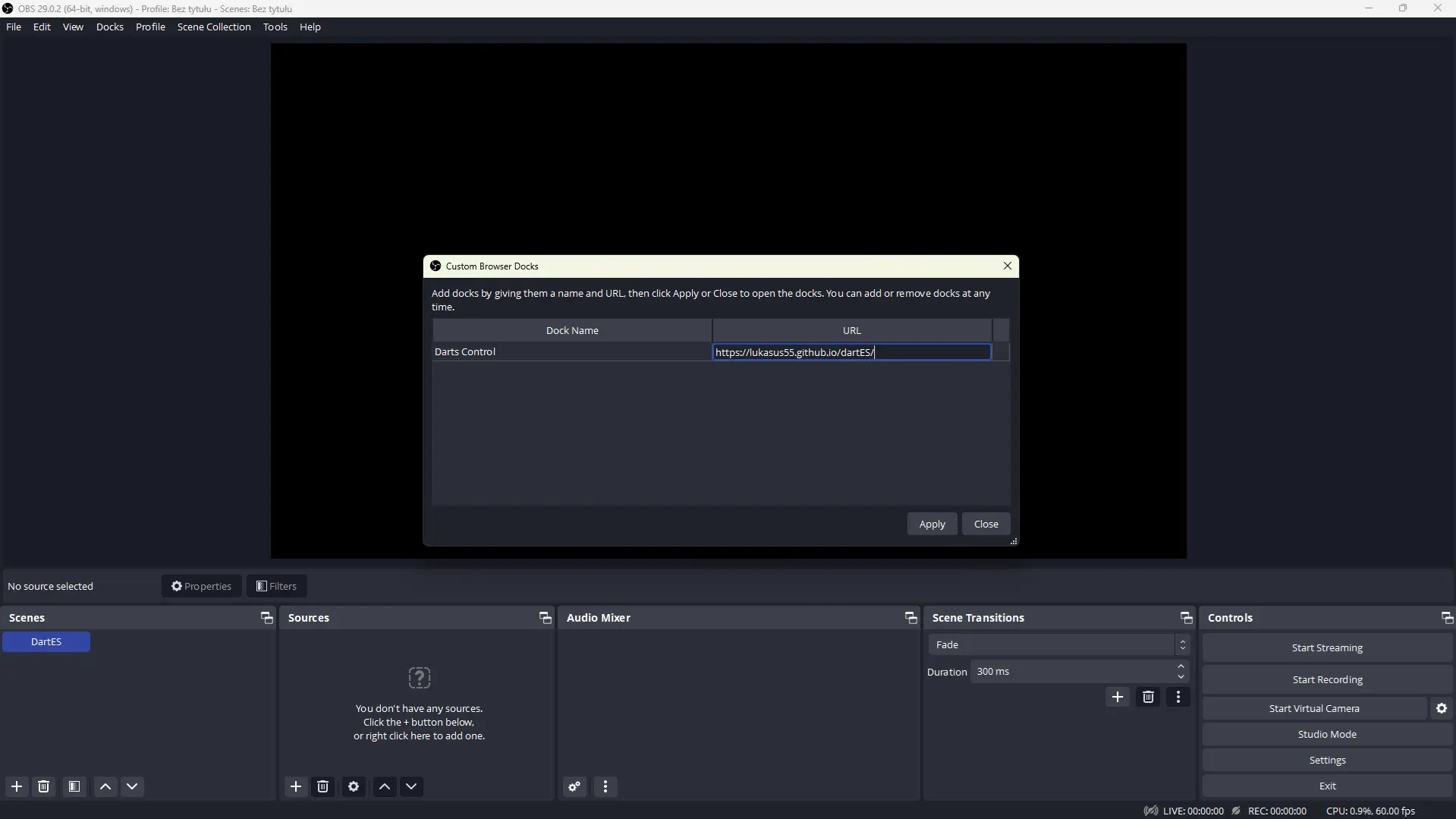
Dock Name:Darts Control
URL:
https://lukasus55.github.io/dartES/2. Add the Overlay Source
Add a new Browser Source to your scene.
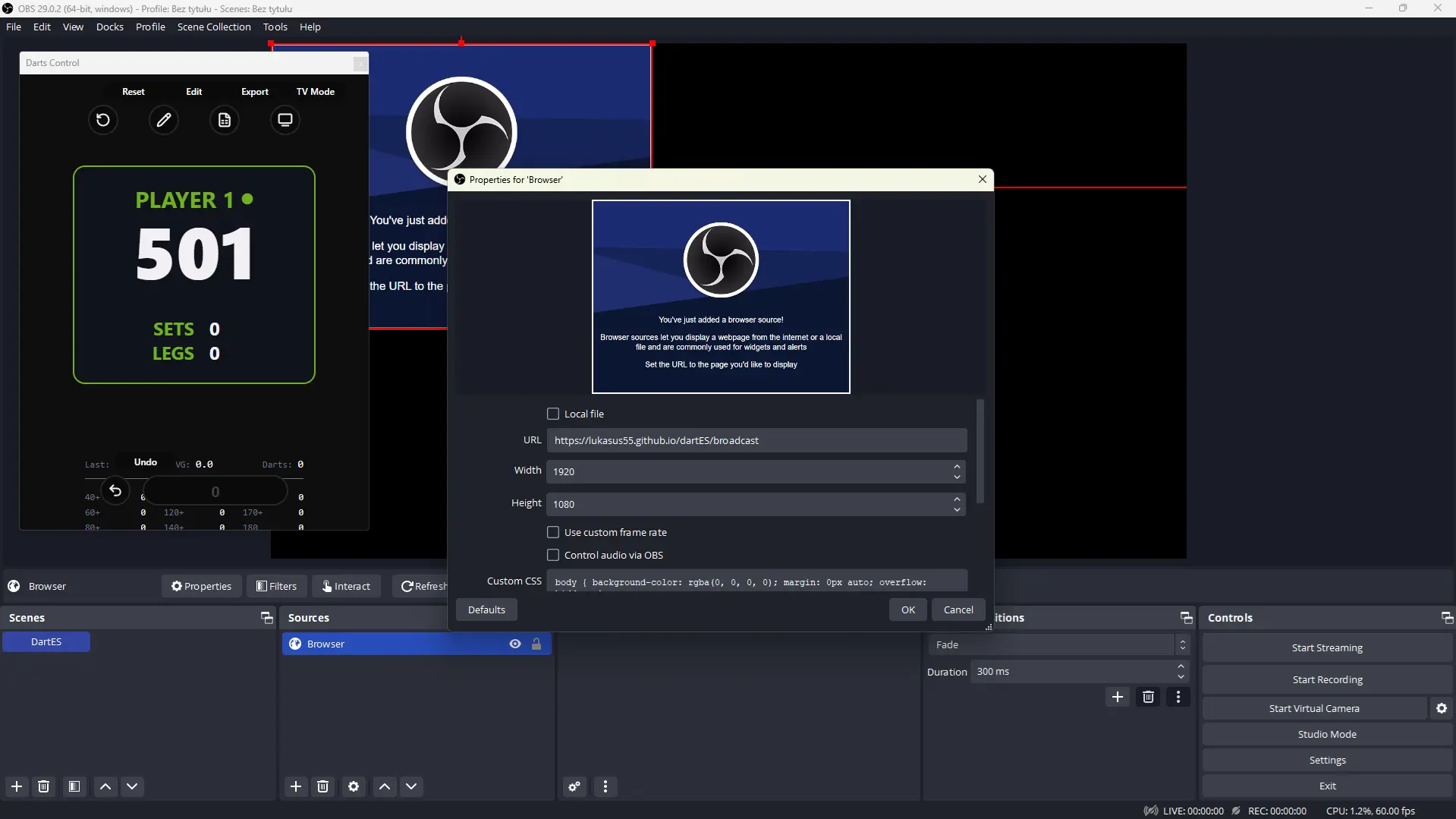
URL:
https://lukasus55.github.io/dartES/broadcastWidth: 1920
Height: 1080
2
Window Capture Method
Best for vMix, XSplit, or if you prefer keeping the controller in your browser.
1. Launch & Separate
Click the Launch Window button below. Drag that new window to a separate screen if possible.
Quick Launch Overlay
Opens the broadcast view in a clean popup window.
2. Capture the Window
In your streaming software, add a Window Capture source and select the broadcast window.
3. Green Screen
Add a Chroma Key filter to remove the background color.
4. Control
Control the game from the Home Page in the same browser as overlay.